From online application to result — with exams at your centres
Before the exam: online. On exam day: at the centre. After the exam: online again.
Six simple steps
- 01Register
Fill the online application.
- 02Pay
Pay the fee online, get a receipt.
- 03Admit card
Download with exam centre details.
- 04Reach centre
Verify identity at check-in.
- 05Take exam
Answer on a centre computer.
- 06Result
View score and rank.
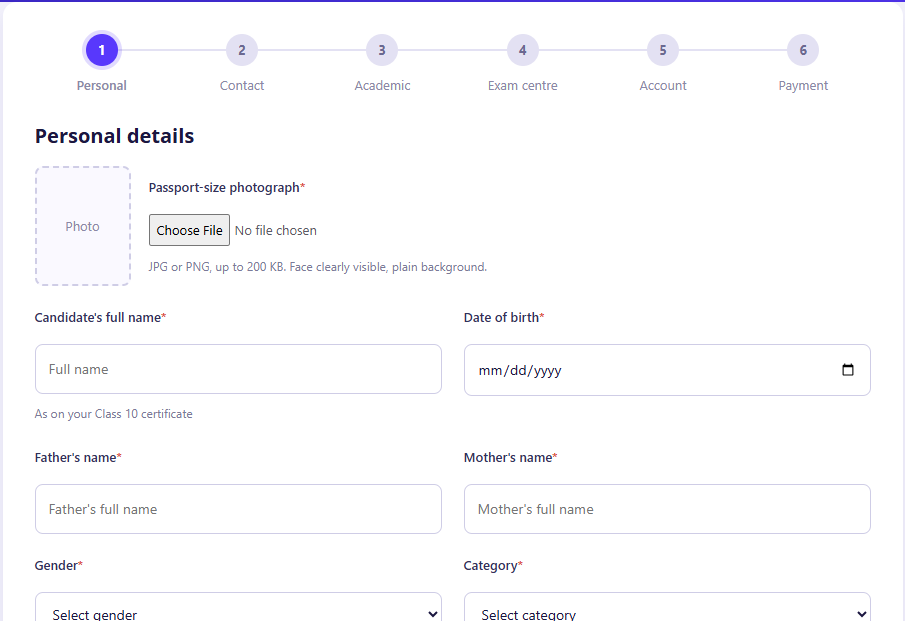
Online student registration
- 1Personal & contact
Photo, name, date of birth, category, mobile numbers and address.
- 2Academic
Class 10 certificate details.
- 3Exam centre
Preferred exam cities.
- 4Account & payment
Email and password, then pay the application fee online.
Secure login, payment & admit card
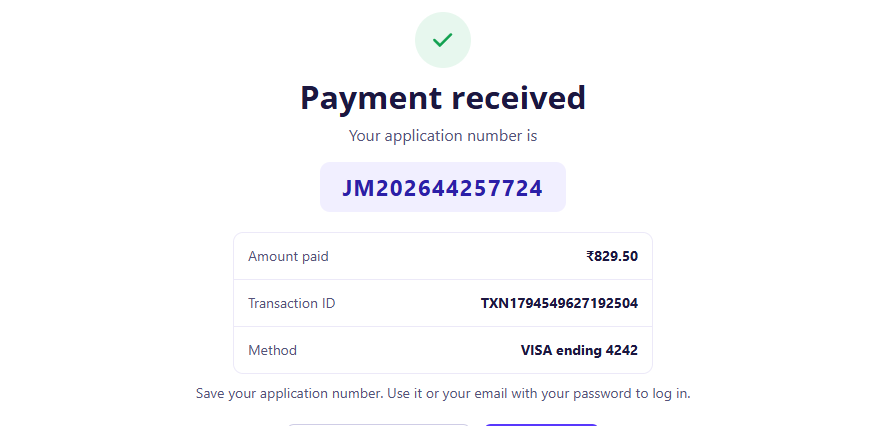
Log in with email or application number; the fee is paid during application.
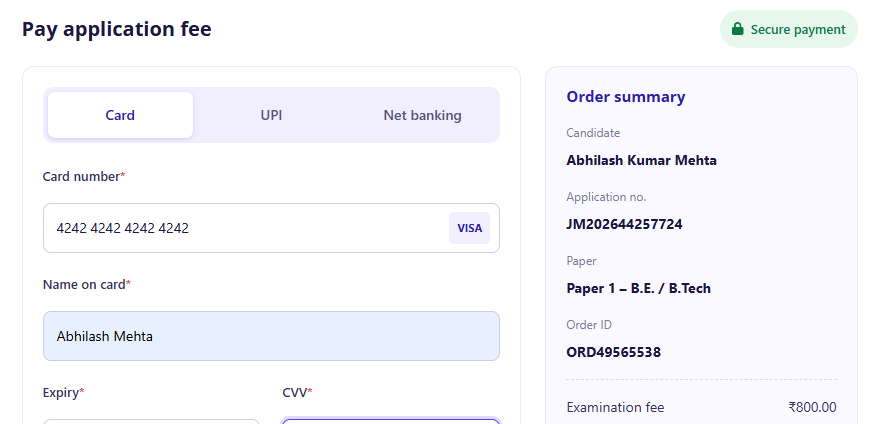
Receipt downloadable and payment status visible to the student.
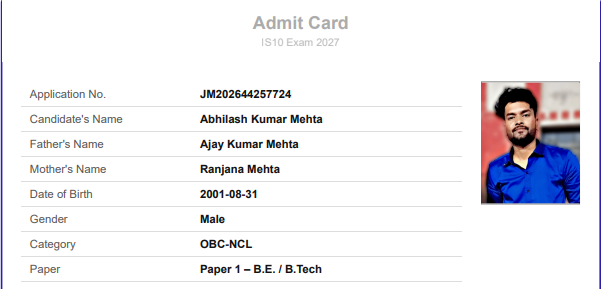
Download from the student page — carries photo and exam centre, needed for entry.
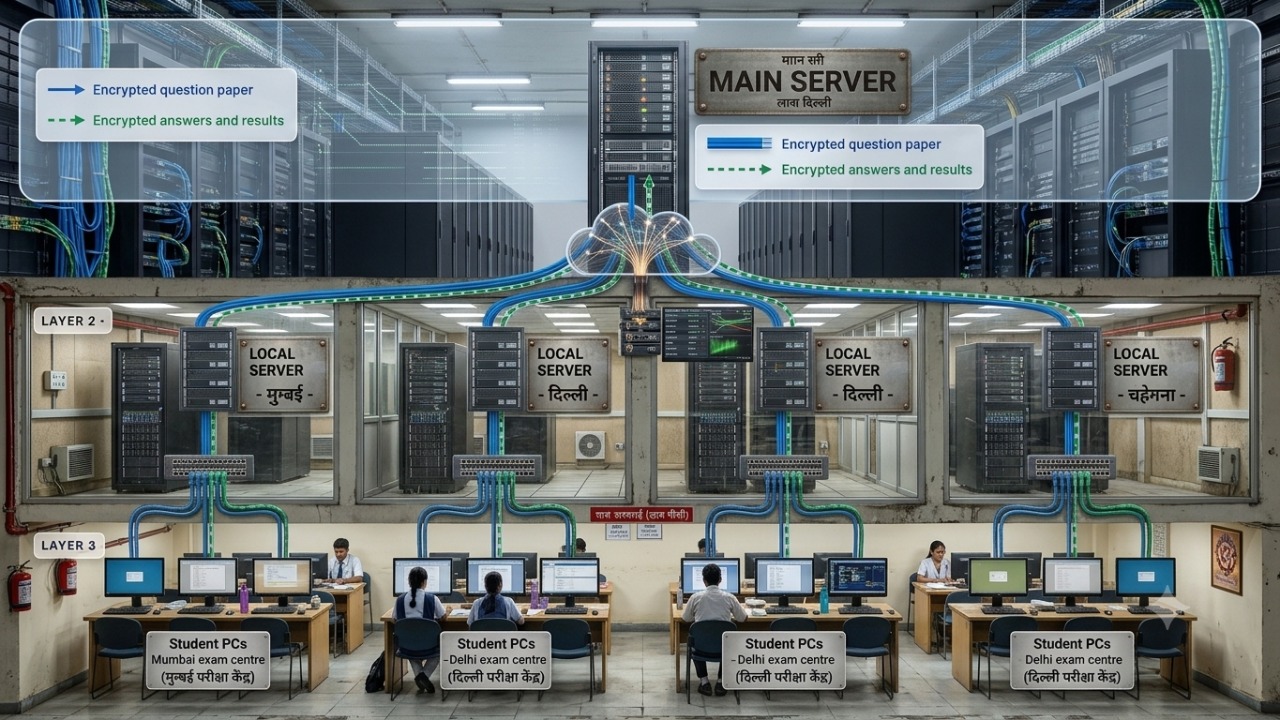
Three layers: main, local, student
- 1Paper flows down
The encrypted exam package reaches each centre's local server before exam day.
- 2Exam runs on the centre network
Weak internet cannot stop it — student PCs are served locally.
- 3Answers flow back
Encrypted answers sync to the main server after the exam.
- 4Unlocks on schedule
The paper stays encrypted until the exam starts; nothing is exposed at the centre.
What each layer does
Main server
Central control: question bank, exam schedule, registrations, payments, admit cards, final results and reports.
Local server
Sits inside the exam centre, receives the exam before the day and keeps it running even if the internet drops.
Student systems
Candidates log in with roll number and password on a locked, timed screen; answers save to the local server.
Built for scale and fairness
Works with weak internet
The exam runs on the centre network.
Scales to many centres
Add a local server per centre.
Secure by design
Encrypted paper and encrypted answers.
Central control
One main server manages everything.
Fair and monitored
Lockdown and live monitoring of each centre.
Faster results
Responses reach the main server in one sync.
Suggested three-phase rollout
Phase 1 · Online
Registration, payment and admit card — open applications and issue admit cards online.
Phase 2 · Pilot
Local server and pilot centre — test the full exam flow at one centre.
Phase 3 · Scale
All centres and monitoring — roll out everywhere with live dashboards.
Planning a centre-based exam?
Tell us your candidate numbers and cities — we'll plan the rollout with you.